
Composable Automations: Build Reusable Blocks for Reliable Business Workflows
Automation succeeds when you can reuse work safely. Composable automation breaks processes into small, well-defined blocks you can assemble, test, and monitor. This approach reduces duplication, lowers maintenance risk, and makes it easier to evolve systems.
Why composable automation matters
- Reuse: Build once, use many times across teams and processes.
- Predictability: Smaller blocks are easier to test and reason about.
- Change containment: Updating a block limits the blast radius of changes.
When to use this approach
- Multiple processes share the same steps (e.g., notify + update CRM).
- You expect growth in integrations, triggers, or variants of a flow.
- You need clear ownership, testing, and rollback for automation parts.
Core building blocks
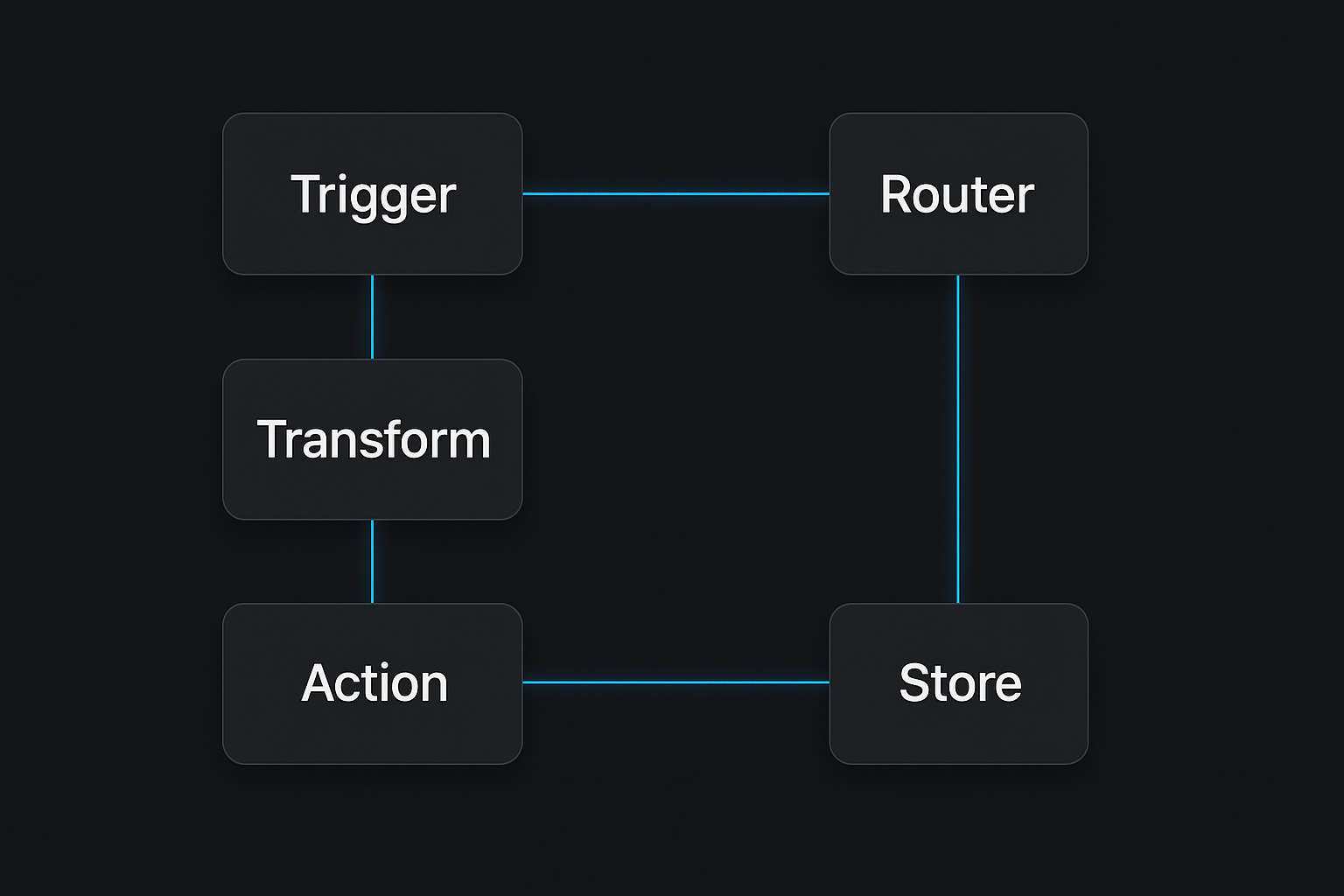
Design each automation as an assembly of these components:
- Trigger: What starts the workflow (webhook, scheduled job, event). Keep it thin — pass raw event data onward.
- Transform: Data shaping and validation. Normalize inputs and enforce types.
- Action: Side effects (send email, update database, call an API). Make actions idempotent if possible.
- Router: Decision logic that chooses the next block based on data or state.
- Store: A place to read/write state or checkpoints (DB, key-value store, or object store).
Benefits of this model:
- Clear inputs/outputs for each block
- Easier testing by isolating transforms and actions
- Faster troubleshooting: you can inspect a block instead of a whole monolith
Step-by-step: build a reusable block (practical example)
Example goal: a reusable “Upsert Customer” block used in onboarding, billing sync, and support flows.
Define purpose and contract
- Purpose: Find or create a customer record in the CRM, return a canonical customer ID.
- Inputs: customer_email, customer_name (optional), source_context
- Outputs: customer_id, status (created | found | error), metadata
Keep the interface stable
- Use a small JSON schema for inputs and outputs. Document required vs optional.
Implement idempotency
- Use customer_email as the deduplication key or store a request_id to prevent duplicates.
Fail gracefully
- Return structured errors (code, message, retryable boolean).
- Don’t throw unhandled exceptions — surface them as output for upstream routers.
Make side effects explicit
- If the block writes to multiple systems, consider splitting into two actions: create-local-record and replicate-to-crm.
Add telemetry
- Emit events: started, succeeded, failed, duration, error code.
Version and document
- Tag breaking changes as a new version and keep the previous one for rollback.
Example pseudocode interface (for clarity):
# Inputs
{ "customer_email": "jane@example.com", "customer_name": "Jane Doe", "source_context": "signup_form" }

# Outputs
{ "customer_id": "cust_123", "status": "found", "metadata": { ... } }
Naming, versioning, and documentation
- Name blocks by purpose, not by implementation: upsert_customer.v1
- Semantic versioning for breaking changes (v1 → v2)
- Keep a short README for each block: inputs, outputs, side effects, error codes, owners
- Store the contract (JSON schema) next to the code or in a central catalog
Testing and monitoring
Tests to keep in the pipeline:
- Unit tests for transforms and validation logic
- Integration tests for actions against a sandbox or recorded responses
- Contract tests to assert input/output shapes
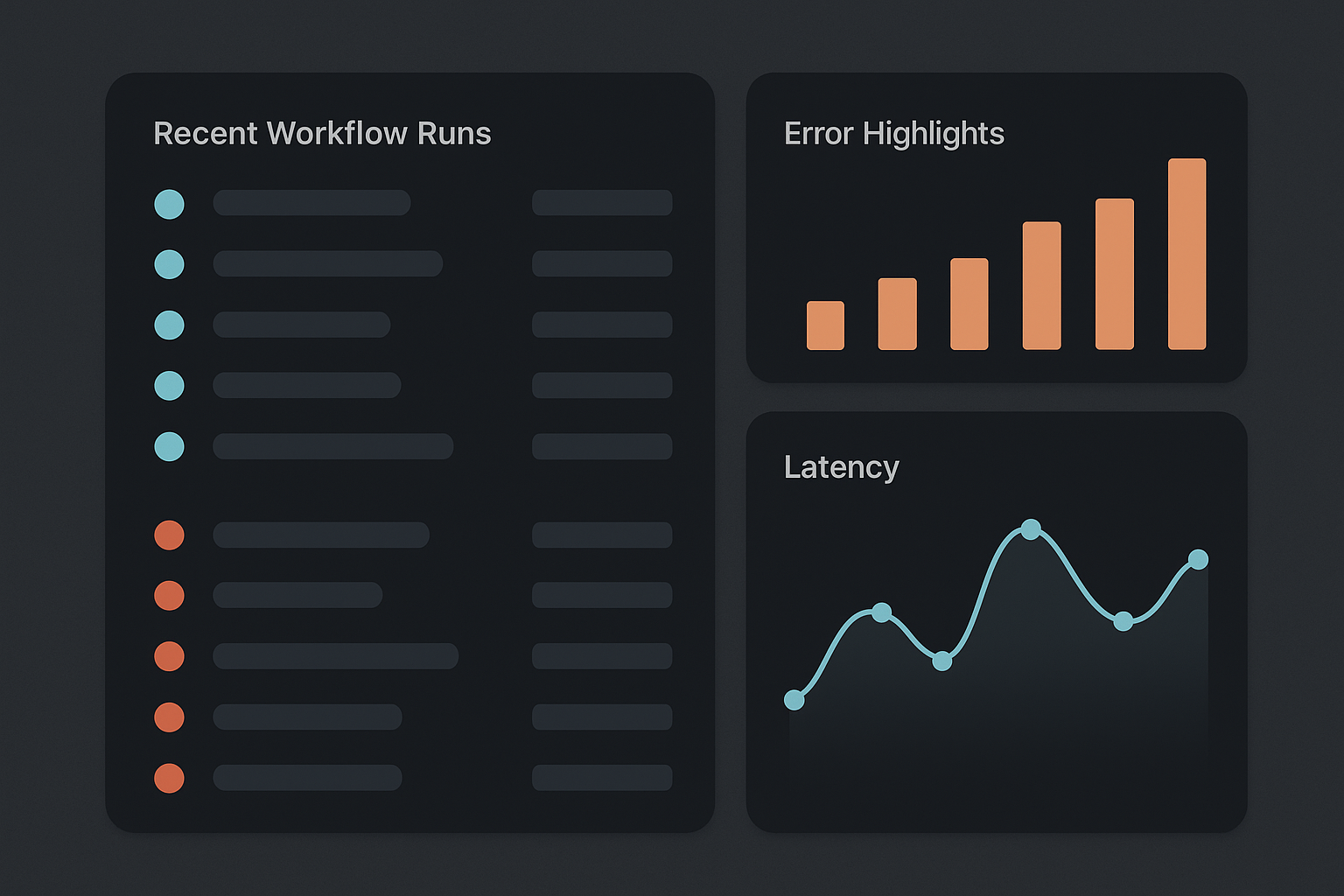
Monitoring essentials:
- Recent run list with status and duration
- Error types and counts (grouped by code)
- Latency distribution
- Alerting on error rate or spike in retries
When a block fails, prefer fast recovery patterns:
- Automatic retries for transient errors (with backoff)
- Dead-letter queue for items needing manual review
- Quick rollback by switching to a previous block version
Deployment and governance
- Use CI to run tests and deploy only passing versions
- Require approvals for changes to shared blocks
- Limit who can publish a new major version
- Track ownership: each block has an owner and contact info
Tooling patterns (practical suggestions)
- Use workflow orchestration for assembly (so you can inspect runs and retries)
- Keep transforms in code repositories with unit tests
- Expose blocks as functions or services with a small stable HTTP or message contract
- Maintain a lightweight block catalog (a simple table or internal docs site) with search
Quick checklist before reusing a block
- Do inputs and outputs match your needs?
- Is the block idempotent or safe for retries?
- Are error codes explicit and documented?
- Is there telemetry and an owner to contact?
- What happens if the block is down — is there a fallback?
Example developer workflow
- Discover a reusable need during a new workflow design.
- Search the block catalog — find upsert_customer.v1.
- Read contract and tests, run integration sandbox tests against it.
- Assemble blocks in the orchestration layer: trigger → transform → upsert_customer.v1 → notify_team
- Deploy orchestration with a small rollout and monitor.
Practical takeaway
Start small: extract one repeatable, well-defined step into a block this week (define its inputs, outputs, owner, and tests). That single extraction yields immediate reuse and a clearer path for future automation.
