
What Happens When Software Starts Acting on Your Behalf
Software that recommends what to do is one thing. Software that does it for you is another. The shift from recommendation systems to action-taking systems (agents, autonomous workflows, and integrated automations) is happening across sales, IT, operations, and customer support. This post explains what changes, why it matters, and what businesses should watch for.
Quick definitions
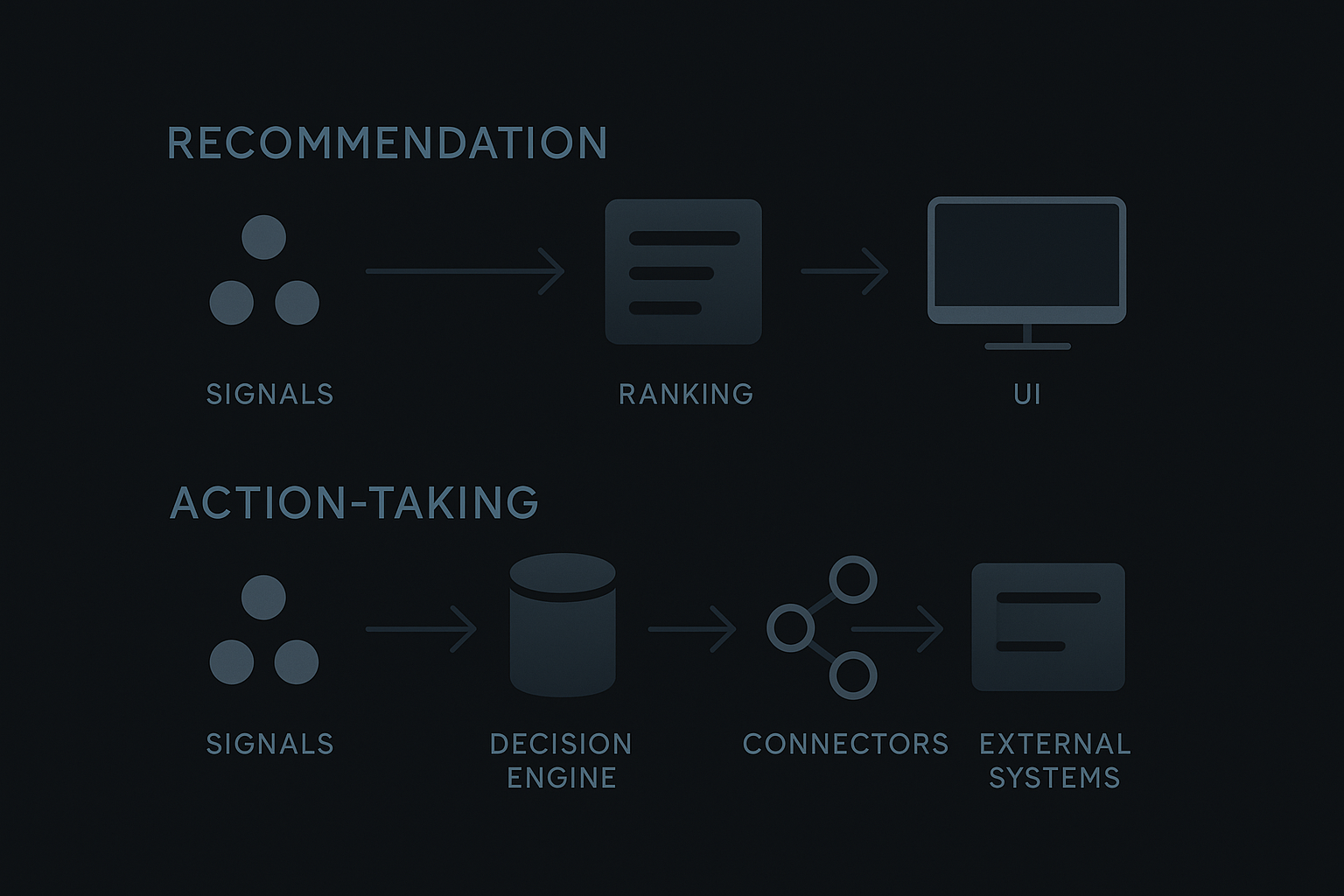
- Recommendation system: observes data and suggests actions for a human to approve (e.g., prioritized leads, suggested replies).
- Action-taking system: executes tasks autonomously or semi-autonomously (e.g., sends outreach, reorders inventory, creates tickets).
Both use the same inputs, but the downstream risks and operating model differ significantly.
What changes technically
Stateful vs stateless behavior
- Recommendations are typically stateless: compute a score, show it, done.
- Action-taking systems need to maintain state, track progress, handle retries, and support idempotency.
Integrations and side effects
- Actions require reliable connectors to external systems (CRMs, ERPs, payment gateways). Failures in these integrations now create business impact.
Decision pipelines
- The pipeline expands from ranking to policy evaluation, permission checks, and execution planning.
Observability needs
- Logs, traces, and audit trails become business records rather than debugging artifacts.
Business and product implications
Trust is now about predictability, not just accuracy
- Users tolerate mistaken recommendations more easily than mistaken actions. Predictable behavior, clear failure modes, and easy recoverability matter.
Permissions and least privilege
- Grant actions only where necessary. Fine-grained permissions and separation of duties reduce blast radius.
Human-in-the-loop design
- Design patterns vary: manual approve, confirm-on-high-risk, or fully autonomous with rollback. Match the pattern to risk and user expectations.
UX and mental models
- Users must understand what the software will do, when, and how to stop or undo it. Visual cues, confirmations, and a visible action history help build correct mental models.
Common failure modes to plan for
- Silent failures: an action fails but no one notices. Prevent with alerts and error classification.
- Cascading actions: one automatic action triggers others and creates feedback loops. Prevent with guardrails and rate limits.
- Bad data amplification: poor data leads to repeated wrong actions. Prevent with input validation, sampling, and fallbacks.
Policy, safety, and compliance
Audits and recordkeeping
- Maintain immutable traces of decisions, inputs, and outputs for debugging and compliance.
Explainability and justification
- Provide a concise reason for each action so reviewers can assess intent quickly.
Regulatory boundaries
- Some actions (financial transfers, contractual commitments) carry legal implications. Treat these as high-risk with additional approvals.
Implementation patterns that reduce risk
Dry-run and simulation modes
- Let the system show what it would do before enabling execution.
Canary and phased rollouts
- Start with a small user set or low-value actions and expand as observability improves.
Circuit breakers and backoff
- Stop or slow down agents when error rates rise or external services degrade.
Idempotent operations and retries
- Design actions so repeated attempts don't create duplicated side effects.
Reversible actions and compensating transactions
- Where possible, provide undo paths or compensating steps.
Operational playbook (4 short steps)
- Inventory: List every action the software could take and which systems it touches.
- Classify: Score each action for value vs risk (low/medium/high). Prioritize low-risk, high-value first.
- Guard: Apply permissions, confirmations, and monitoring by risk class.
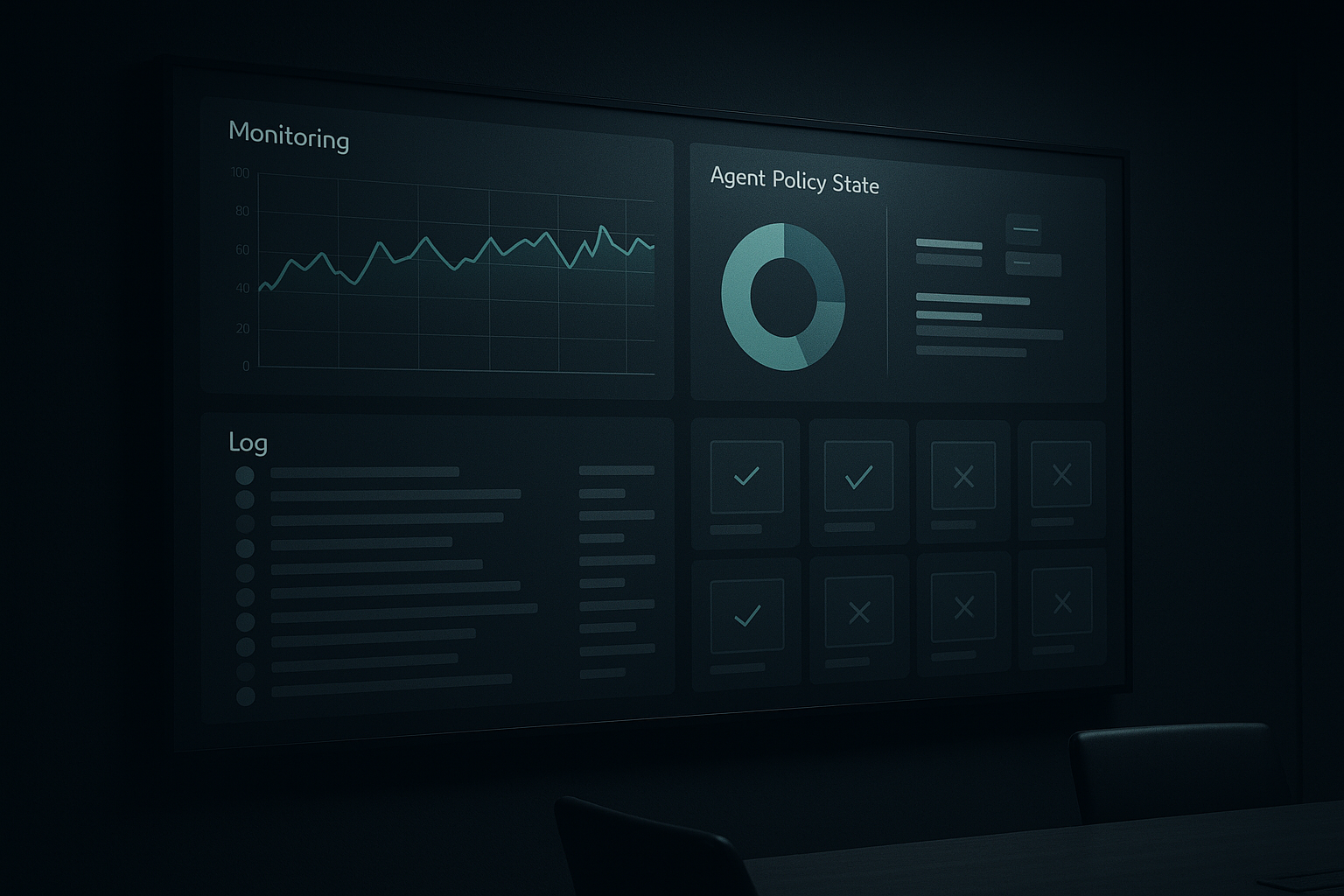
- Observe & iterate: Track metrics (failures, user overrides, time saved) and adjust policies.
Tech stack patterns to consider
- Use a workflow/orchestration engine for state and retries (not ad-hoc scripts).
- Employ a policy engine for centralizing rules and permissions.
- Keep connectors modular and replaceable; treat them like first-class services.
- Store signed audit logs in append-only storage for forensics.
UX tips for product teams
- Surface intent before execution: show a one-line summary and the consequences.
- Offer an obvious cancel/undo for a short window after action.
- Expose an activity feed where users can quickly see who or what performed recent actions.
A short, practical example
A sales automation agent can draft and send follow-up emails. In recommendation mode it suggests messages for reps to send. In action-taking mode it sends emails automatically.
If you flip the switch without controls:
- You may send messages to the wrong contacts (data quality issue).
- You may exceed sending quotas or trigger spam filters (rate limit issue).
- You may block future workflows (duplicate orders or repeated follow-ups).
Controls to apply: sandbox sends, approval for new templates, daily caps, and clear reversal steps.
Closing thoughts
When software acts for you, efficiency gains are real — but so are the new responsibilities. The shift is less about clever models and more about engineering, policy, and user experience that treats actions as first-class business events.
Takeaway: start small, map value vs risk, add observation and rollback, and design permissions and UX so humans stay in control where it matters most.
