
From Portals to Agents: How Business Interfaces Are Changing
Why this matters
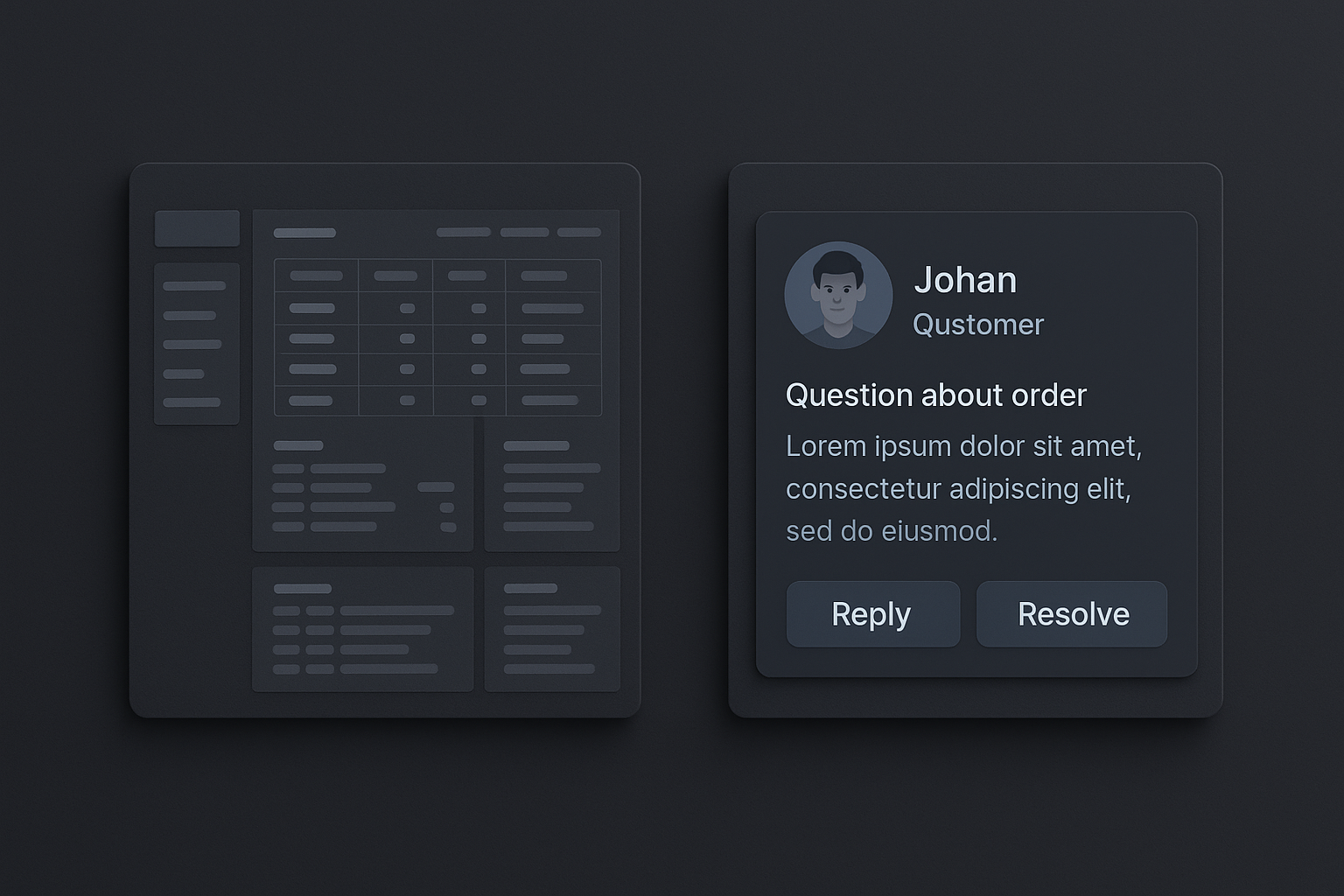
Many businesses still rely on portal-style software: dense dashboards, hierarchical menus, and module-based workflows. Newer products introduce agent-like interaction patterns — conversational assistants, proactive cards, and task automation — that change how people discover features, get work done, and stay in control. This post compares the two patterns, explains trade-offs, and gives practical guidance for adopting agent features without losing control or trust.
What I mean by "portal" and "agent"
- Portal-style software: centralized UIs with pages, menus, and widgets. Users navigate to the right screen, fill forms or run reports, and manually move work between systems.
- Agent-like interfaces: conversational or action-oriented components that can search, summarize, suggest, and act across systems. They may be triggered by natural language, events, or schedules.
Both patterns can coexist; they solve different problems. Understanding the differences helps you choose where to invest design and engineering effort.
Key differences at a glance
Discovery
- Portal: users discover features by navigating menus, training, or documentation.
- Agent: users discover capabilities by asking questions or following suggestions.
Control and visibility
- Portal: explicit actions and screens provide clear audit trails and predictable flows.
- Agent: actions can be proactive or autonomous, requiring careful visibility and confirmations.
Learning curve
- Portal: steep initial learning (many screens) but predictable after training.
- Agent: low friction to start (ask a question) but requires trust calibration.
Error handling
- Portal: errors are usually form validation or API failures surfaced on the page.
- Agent: errors can be misinterpretations, wrong context, or unintended side effects.
Efficiency
- Portal: efficient for expert users who know exact flows.
- Agent: efficient for occasional or cross-system tasks and for users who prefer conversational queries.
UX implications
Portals work when workflows are well-defined, repeatable, and require precise inputs. Agents shine when work is cross-cutting, exploratory, or repetitive but context-sensitive.
Design considerations:
- Explicit affordances: show clearly what the agent can and cannot do. Avoid magical language.
- Confirmations for impactful actions: require explicit user approval for actions that change state or move money/data.
- Back-off and undo: provide easy undo, rationale for decisions, and a clear audit trail.
Architecture and data considerations
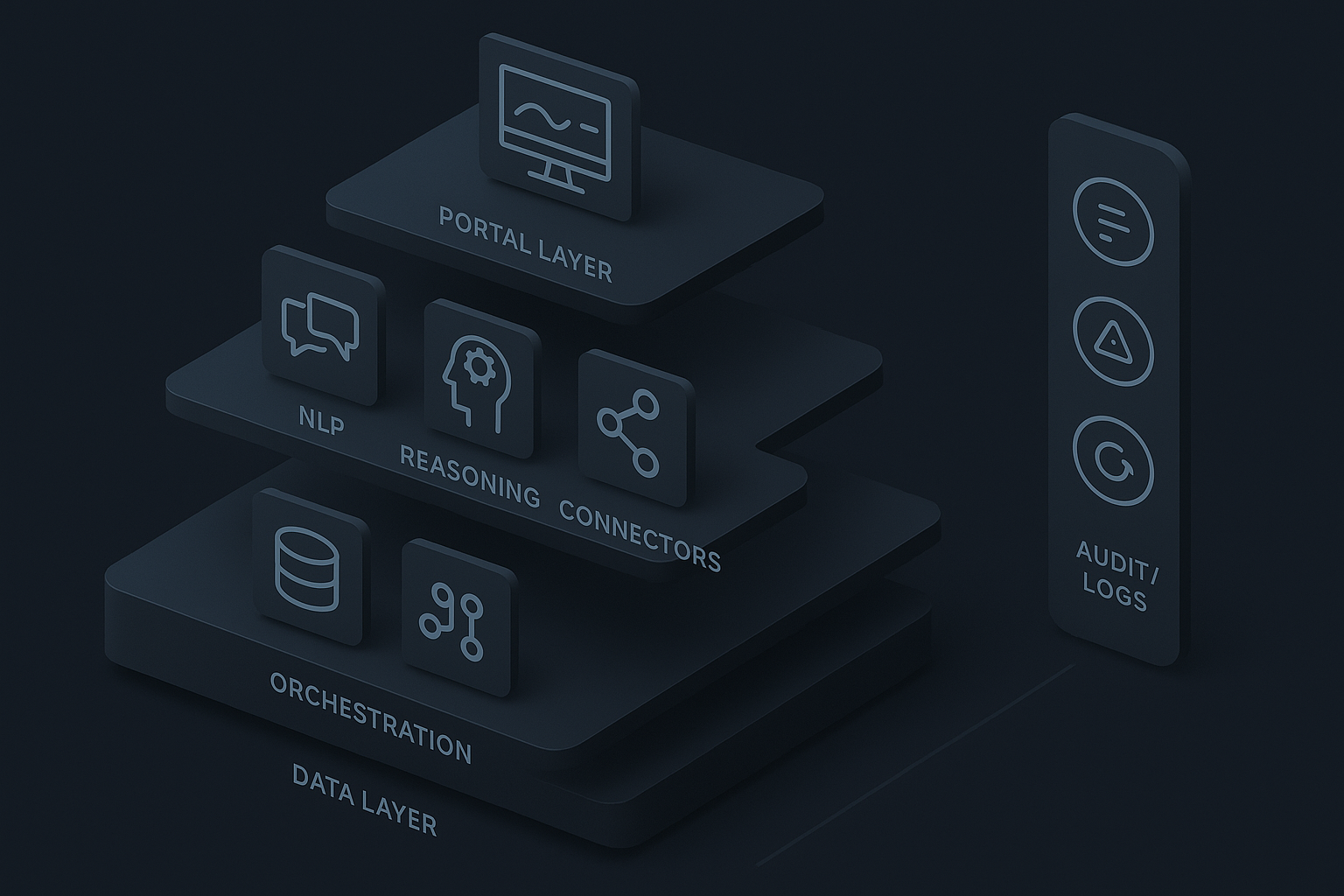
Agents often look simple but rely on solid integration and orchestration:
- Data surface: agents need access to consistent, well-modeled data. Portals often live on the same datasets but assume user navigation to scope queries.
- Connectors and permissions: agents act on behalf of users. Implement least-privilege connectors and scoped tokens.
- Observability: capture intent, actions taken, confidence scores, and outcomes for later review.
A hybrid architecture is common: a portal remains the authoritative UI for complex configuration and bulk operations, while agents provide a lightweight, task-focused interaction layer.
Practical trade-offs and when to pick which pattern
Choose portals when:
- Work requires complex configuration, batch editing, or detailed tables.
- Compliance needs strict, auditable flows and manual checkpoints.
- Users are power operators who benefit from dense, keyboard-driven interfaces.
Choose agents when:
- Tasks span multiple systems and require consolidation or summarization.
- Users prefer conversational or step-by-step guidance (occasional users, executives).
- You want to automate repetitive actions with human oversight.
Hybrid approach:
- Keep the portal as the system of record and the place for heavy-duty work.
- Add an agent layer for discovery, task initiation, and focusing attention on exceptions.
Implementation checklist for adding agent features
- Map real workflows: identify repetitive, cross-system tasks where an agent could save time.
- Start small: implement read-only suggestions or drafts (e.g., suggested email drafts, summaries) before enabling write actions.
- Define guardrails: explicit confirmations, role-based permissions, and per-action logs.
- Build visibility: audit logs, confidence indicators, and a history UI that shows what the agent suggested and what the user accepted.
- Test with real users: measure time saved, error rates, and trust/comfort levels.
- Iterate: refine prompts, connectors, and escalation paths for uncertain cases.
Common failure modes and how to avoid them
- Over-automation: giving agents broad autonomy before monitoring leads to mistakes. Start with limited actions and expand.
- Hidden logic: users mistrust opaque decisions. Surface simplified reasoning and data sources.
- Fragmented state: agents and portals disagree when they use different snapshots of data. Use centralized, versioned APIs.
- Poor escalation: agents should escalate ambiguous cases to humans, not guess silently.
Example scenarios (concrete)
- CRM: portal for bulk list management and detailed record edits; agent for drafting follow-up emails, summarizing contact history, and creating tasks based on meeting notes.
- Procurement: portal for vendor onboarding and contract configuration; agent for parsing invoices, flagging exceptions, and drafting PO adjustments for reviewer approval.
- IT ticketing: portal for queue management and SLA tracking; agent that suggests categorization, recommends knowledge-base articles, and escalates high-risk tickets.
Measuring success
Useful metrics:
- Task completion time (before vs after agent suggestions).
- Rate of accepted agent suggestions vs manual edits.
- Frequency of rollbacks or undo actions.
- Time to resolution for cross-system requests.
- Qualitative trust and satisfaction from user interviews.
Final recommendations
- Treat agents as an interface evolution, not a replacement for portals. Each has strengths.
- Design for visibility and control first; automation second.
- Pilot with narrowly scoped, high-value workflows.
- Invest in connectors, consistent APIs, and auditability before enabling write actions.
Practical takeaway: start small—use agents to suggest and summarize, keep the portal as the system of record, and add explicit confirmations and audit logs before you let agents act autonomously.
